

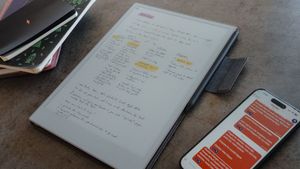
My note-taking setup might be convoluted (and overkill), but I finally made it work, and I've never been more creative and productive.
Over the years, I've probably tested nearly every note-taking tool out there. If someone made it, I've tried it.
However, most tools left me unsatisfied. One or more issues always kept me from going all in.
Recently, with me testing all these e-ink devices (my reMarkable Paper Pro review went live yesterday), and spending the last few weeks rethinking why I even want to take notes in the first place, I seem to have found a system that so far has been holding up.
Why I take notes
But first, let's discuss why I take notes in the first place.
I basically have three jobs at the same time: I work at a newspaper as Content Performance Lead, helping journalists get more reach on their articles. I co-run and write content for overkill, and recently, I started to regularly post essays on my personal blog.
To make sense of all these different situations, I write down a lot. Be it during reading (though that part is automated, more below), while talking to people, observing the world or my mind, consuming (good, non-brainrot) content, or while being bored (you know, shower thoughts).
There are several reasons for my avid note-taking:
- Note-taking helps me remember. I write things down, so I don't forget.
- I use it to offload. Since I have a few things going on, I prefer having things written down and not occupying RAM in my memory.
- I use it to learn.
- By going through my notes regularly, I brainstorm new ideas.
- And finally, the fact of writing something down in my own words helps me better understand what I'm working on.
How I take notes
The system I came up with probably looks very convoluted from the outside. Some might say it's, ehem, overkill (pun intended).
It relies on four things: an e-ink device, paper notebooks, the note-taking app Obsidian, and Telegram. Yes, the messaging app.
First, let me explain why I combine an e-ink device (currently the reMarkable Paper Pro) and paper notebooks.
For one, I prefer writing things down by hand instead of typing them. There have been enough studies showing that writing things down by hand improves learning, and I've experienced this on my own. I also just like the physical act of writing by hand, without interruptions, not looking at a monitor. I spend enough time in front of my computer or on my phone.
But in theory, using an e-ink device and a paper notebook is redundant. One is supposed to replace the other. And I agree, but I am a sucker for stationary, and I really love using inks, pens, pencils, and different type of paper. I also recently decided to pick up sketching and drawing, and there are some cool pens out there!
If you decide to replicate this workflow, you probably don't need both. I just like paper too much. But since paper is not that practical in a day-to-day use, I also use e-ink for its syncing capabilities, easier file management, and some nifty features like automatic text recognition.
But let's get to the nitty gritty. My workflow looks like this: I capture notes in two different systems, paper and Telegram, then file them in Obsidian, and complement the whole thing with e-ink (and some other tools). Here's how:
First, we capture
I recently tried a new note-taking app called Kortex.
It's fine. It's still very early access, doesn't have a mobile app (dealbreaker), but has some cool ideas, like integrated AI functionalities, and my personal favourite, a Capture feature, which just looks like a chat interface.
For whatever reason, jotting down quick notes, the way you send a message to a friend, works well for me. But Kortex also costs around $20 a month, and is basically a paid beta build, so I ended up recreating parts of this workflow using Telegram.
If you use Obsidian, you can install a plugin called Telegram Sync. What this allows is to create a Telegram bot, which, after connecting all services, copies messages sent to it to Obsidian.
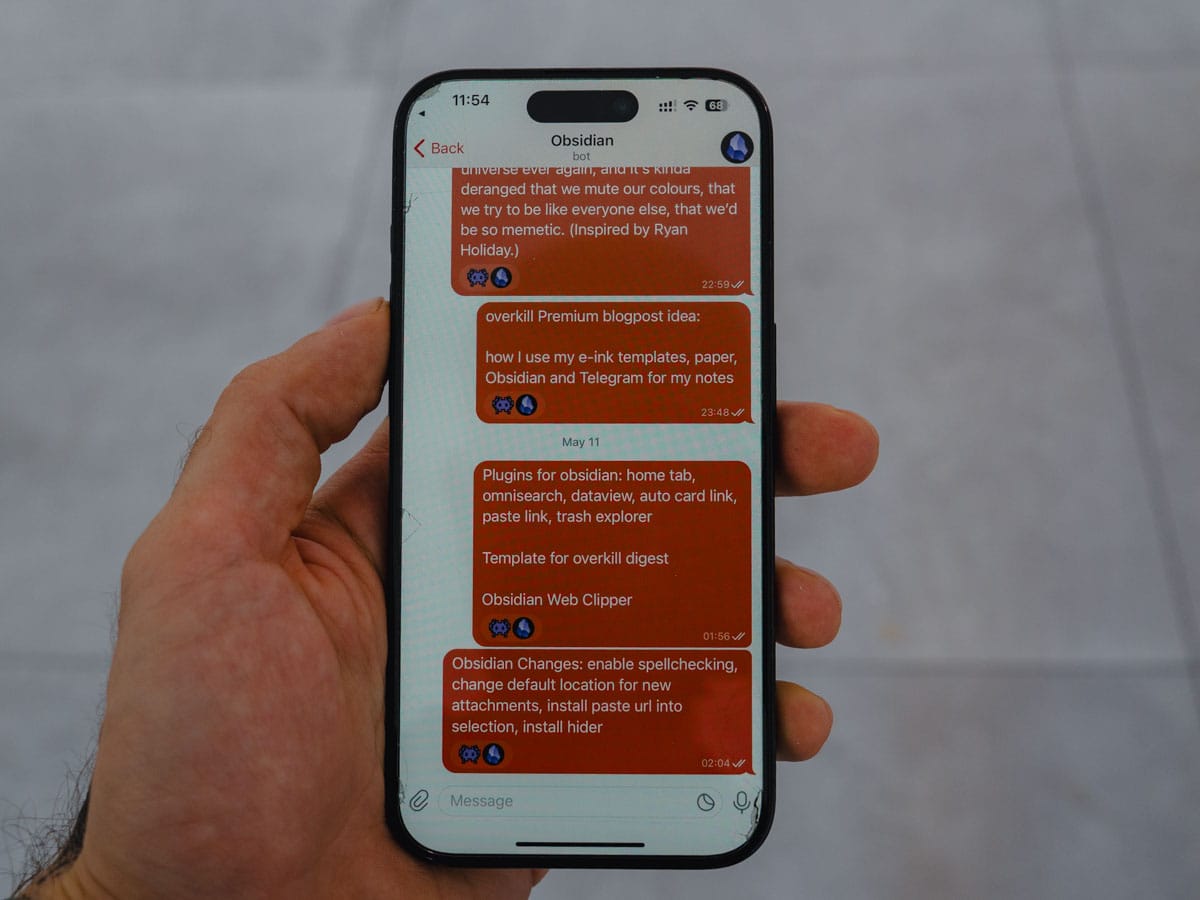
The way I set this up is by creating a file called inbox.md, and whenever I send a message to the Telegram bot, it appends it to the end of that file, adding a timestamp.
The advantage of using Telegram is that this way, I can also add links, files, dictate a message to Siri to send (for example, while driving, or during runs), and if I were to pay for Telegram Premium could send a voice message which would automatically get transcribed (but I don't pay for Telegram Premium). And all I do is send a message the way I send messages to friends. It feels very natural.
The other method I use to capture notes is by using a paper notebook. I currently use these but I plan to replace them with Field Notes.
I often have a paper notebook with me. And whenever I have anything I want to remember or write down, I'll grab it, add a date or the topic as a header, and either write down a list, a few words, or at times even write down full-on sentences. I don't try to organize the notes in the paper notebook, but let my thoughts flow freely onto paper.
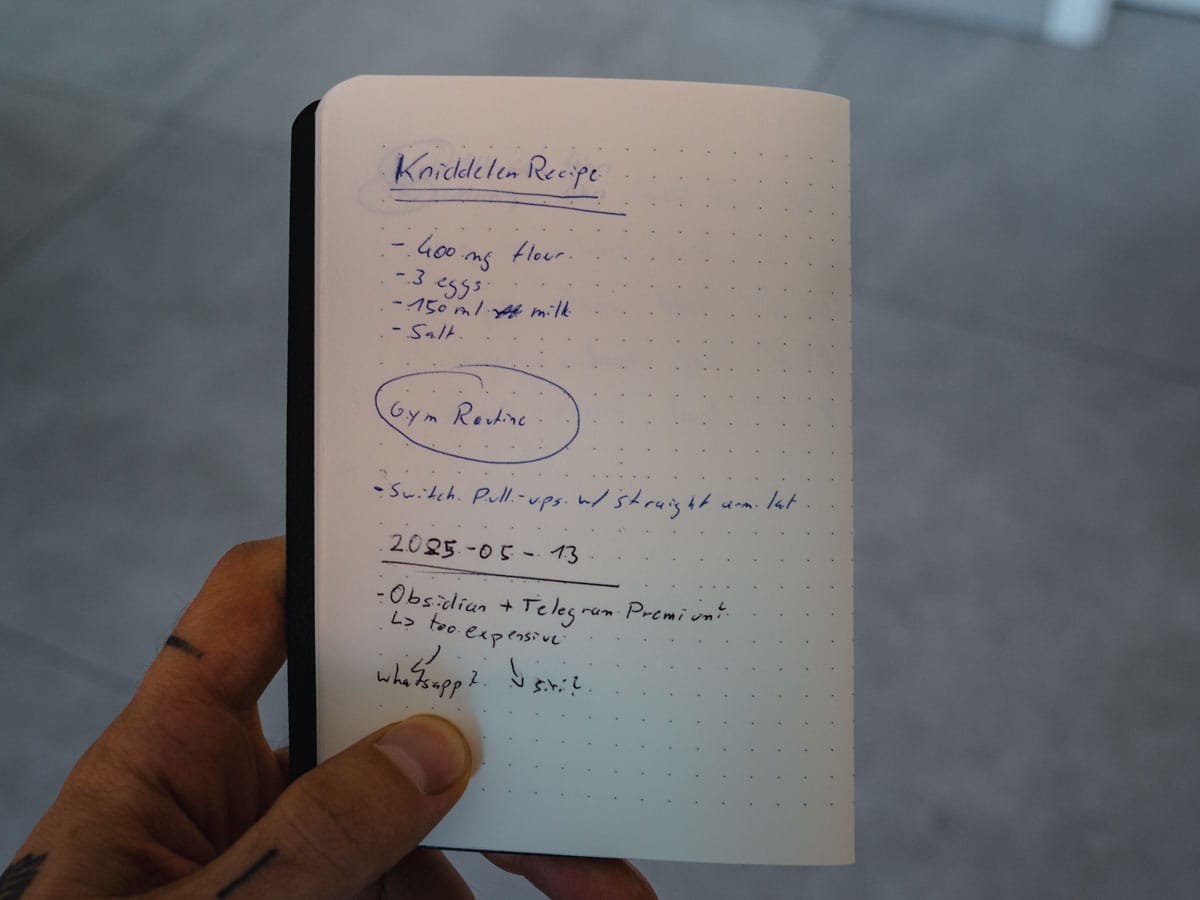
Then, usually once a week, I go through the recent notes and figure out what to do with them. Some get ignored, others get filed (more soon), and a bunch get expanded.
Also, since you are probably asking by now, here's how I decide whether I write something down using the Telegram Bot or a paper notebook: If I want the advantages of a computer, I use Telegram (for example, while driving or running, when I am at the gym where I don't bring a paper notebook, or when I want to add some media to it.) In all other cases, or when I want to sketch something, I rely on paper.
Also, I use a mix of writing Markdown by hand (yeah, seriously) and the Dash/Plus system.
Then, we expand
I use a bunch of additional tools to expand my notes. These are mostly automated workflows, which capture notes in my place. I rely on:
- Granola.ai: A recent addition to my workflow. It transcribes and summarizes meetings.
- Raycast and the YouTube transcripts extension: This is the quickest way I found to get the transcript from a YouTube video.
- Readwise and Readwise Reader: Two apps I use for reading articles and syncing highlights out of books. These get automatically added to Obsidian, too. For the book highlights, I also use...
- KOReader: In my eyes, the best e-book reading app. You can connect Readwise, and whenever you highlight a passage, it automatically adds it to Readwise.
- CoPilot for Obsidian: This needs a whole separate blog post, but I use AI heavily. Not to replace me, therefore I never let it write any content in my place, but instead complement my note-taking. I have a bunch of prompts (some of them stolen from Kortex) that help me. For example, one takes a YouTube transcript and transforms it into a step-by-step learning guide. Another one goes through a PDF and distills the main learnings, and tells me how to dig deeper. I believe AI should be used as a colleague/assistant, not as a panacea for creativity.
Finally, we create
Having all these "capture" workflows, I do two more things.
On my current e-ink device of choice, I do the following:
I sit down every morning, have coffee, and journal, writing down thoughts and what happened the previous day. I use this template for that. I copy these to Day One.
I also bring the reMarkable to physical meetings at work (much better than using a laptop or typing notes on a phone), I write my to-do lists down, and often use this device to outline a blog post (since it has an infinite canvas).
For example, this blog post was first outlined on the reMarkable, which looks like this:
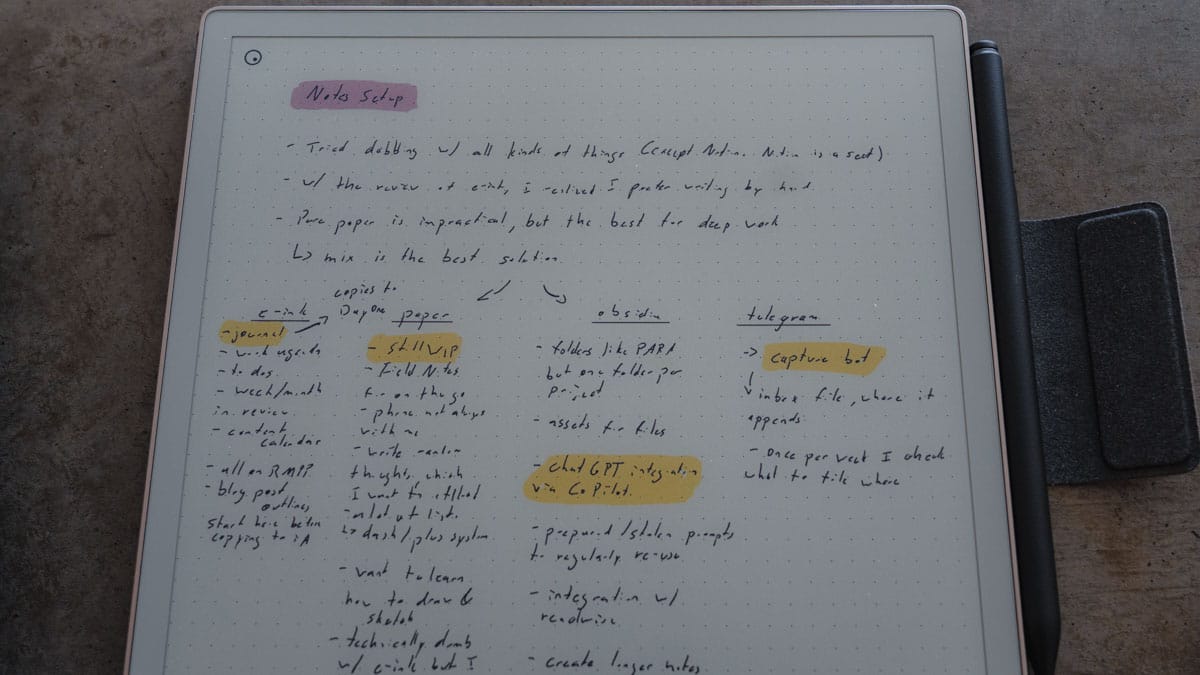
These outlines later become full-on blog posts in iA Writer.
Obsidian, meanwhile, is where everything ends up in the end.
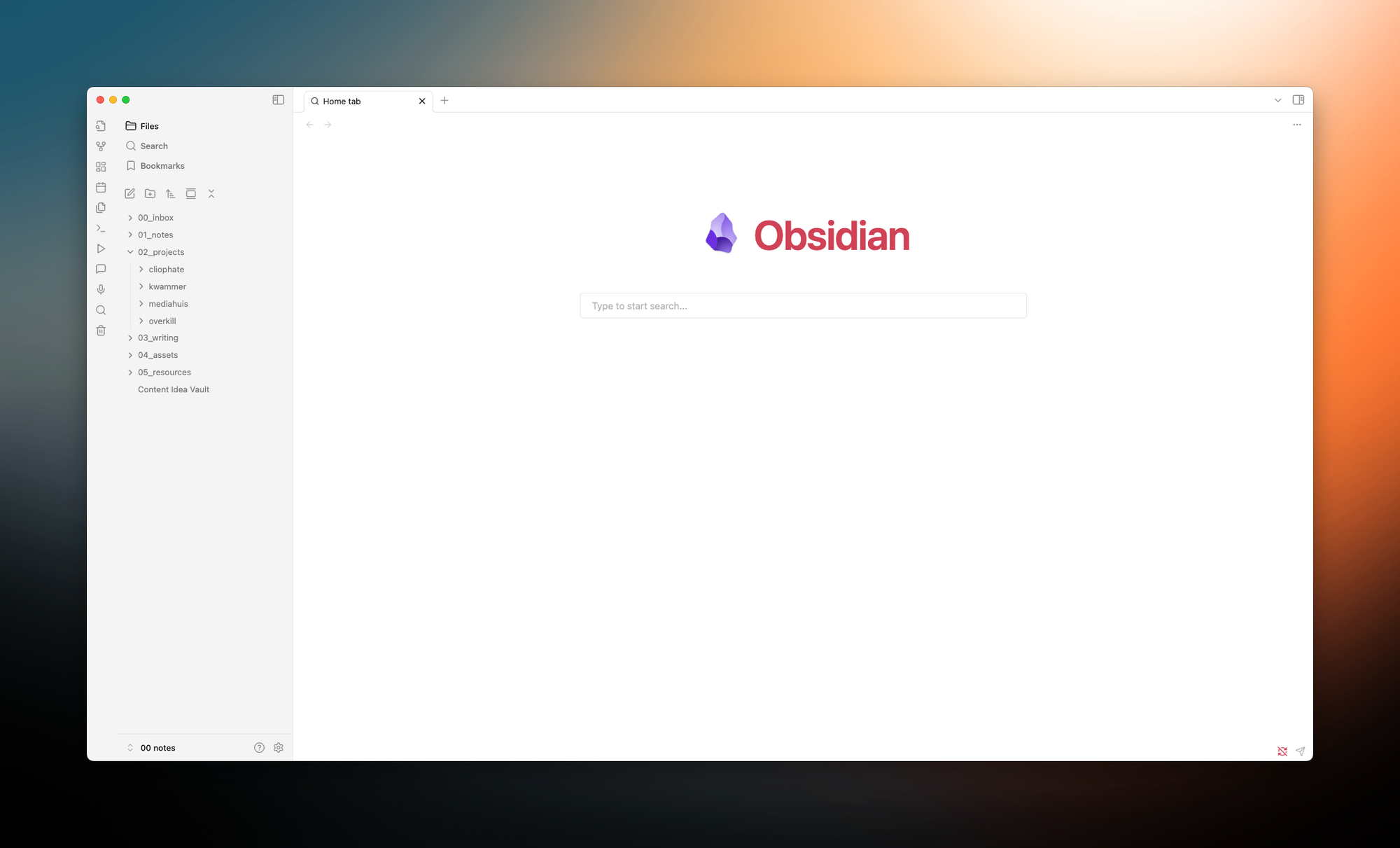
The folder structure I use is simple:
- I have a folder for stuff (like
inbox.md) that is unsorted. - There is one for notes, which might be redundant, as it's empty for now.
- There is a folder for the different projects I have, where most notes live.
- I have a folder for writing, which I also access with iA Writer. Often, I take a note from one of the project folders, say one note on note-taking tools, and move it over to the writing folder to create the blog post.
- Assets is where files, PDFs, and so on are stored.
- Resources is a folder with all my different AI prompts, templates created for new Obsidian notes, and more.
- And finally, the file called Content Idea Vault is an ongoing list (I'm at around 200 lines) with all my ideas for blog posts.
I file (mostly, I am not always consistent) everything I captured through different methods once a week in Obsidian. I don't try to overthink it, but just move stuff around, import notes from the reMarkable as PDF, and ask ChatGPT to transcribe scans of the scribbled notes in my notebooks to typed text. I then use OmniSearch and Home tab to navigate through my files.
So far, this system is the one that has stuck the longest. It might look overkill AF, but while using it, it feels the most natural. I don't try to over-complicate stuff, and none of what I explained above is a fixed rule.
The goal after all is to take notes. If I end up using the Telegram Bot more in a given week than my paper notebooks, that's fine. In the end, the note has been written down.
There are also probably a few things I can improve. I am still researching stationery, looking for cool pens, cool notebooks, cool utensils to draw and paint (ping me if you have any suggestions).
I am also still an Obsidian-noob, so there might be some plugins or workflows I am missing, but on the other hand, I don't want to fall into the trap of redoing my workflow once a week, instead of actually using it.
This is the biggest problem I have with all these Notion influencers selling you their templates, since I cannot imagine that using a lifeOS and brainOS and workOS (why are they always named like this?!) helps you stay productive and creative, when you are more occupied fighting the damn thing. Notion is a cult, and you can't change my mind!!!
If you have any questions, feel free to ping me. If you have stationery suggestions, DEFINITELY ping me.