

📣
Recently, the leading developer of PolyMC went on a political rant and removed all his co-developers from the project. We do not condone any form of bigotry.
Meanwhile, the other developers released a fork of PolyMC called Prism. This is the solution we propose you pick instead of PolyMC.
Meanwhile, the other developers released a fork of PolyMC called Prism. This is the solution we propose you pick instead of PolyMC.
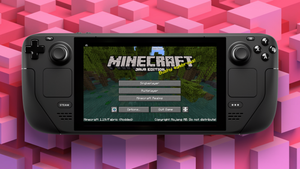
If you want to play Minecraft on your Steam Deck, with mods and everything, I recommend you install a little app called PolyMC Prism. It’s an unofficial launcher with fewer issues than the official one.
Here’s how you do it.
- Go to desktop mode. Click the
Steam button, go down toPower, and thenSwitch to Desktop. Wait for the Deck to reboot. - Click on the
menu buttonand open upDiscover. - Search for
PolyMCPrism. (If the keyboard doesn’t pop up, click theSteam Button + the X-button.) Install the app. - Launch
PolyMCPrism and add your account in the top right corner. You can use both your Mojang and your Microsoft login. - Next, go into the main
PolyMCPrism settings, clickMinecraftin the left sidebar and click the option to closePolyMCPrism whenever the game window opens. - Also, check if Java is set to the latest version.
- Click
Add Instancein the top left. Either choose vanilla Minecraft or follow this guide to install mods. - If you care, you can add Minecraft to the Steam Library. Open up
desktop Steam, go toLibrary, and at the bottom left corner, click on the plus sign, thenAdd a Non-Steam Game.... Navigate to your installation folder and add PolyMC.
..and that’s that covered. You should now be able to play Minecraft on your Steam Deck with mods.
Enjoy your blocky worlds!